

As remote work reshapes how professionals spend their days, the everyday annoyances of desk life become impossible to ignore. An uncomfortable chair, papers overtaking your workspace, and charging cables mysteriously vanishing under furniture represent persistent pain points for anyone working from home. Five thoughtfully designed upgrades now address these frustrations, each targeting a different aspect of the remote work experience without turning your office into an impersonal corporate environment.
Why These Home Office Upgrades Matter to Shoppers
The traditional approach to workspace solutions treats all workers the same: one chair height, one desk layout, one cable management system. Modern design recognizes that remote work involves constant shifting. You might type for an hour, recline during a video call, then sit upright again for focused work. Smart home office upgrades accommodate these natural movements rather than fighting them.
For buyers evaluating new workspace products, this means looking beyond static features. The best additions support how you actually work, not how manufacturers imagine you should work. Whether you’re taller than average, drowning in desk clutter, or frustrated by cable sprawl, targeted upgrades deliver immediate, noticeable improvements.
Seating That Adapts to Your Body and Your Day
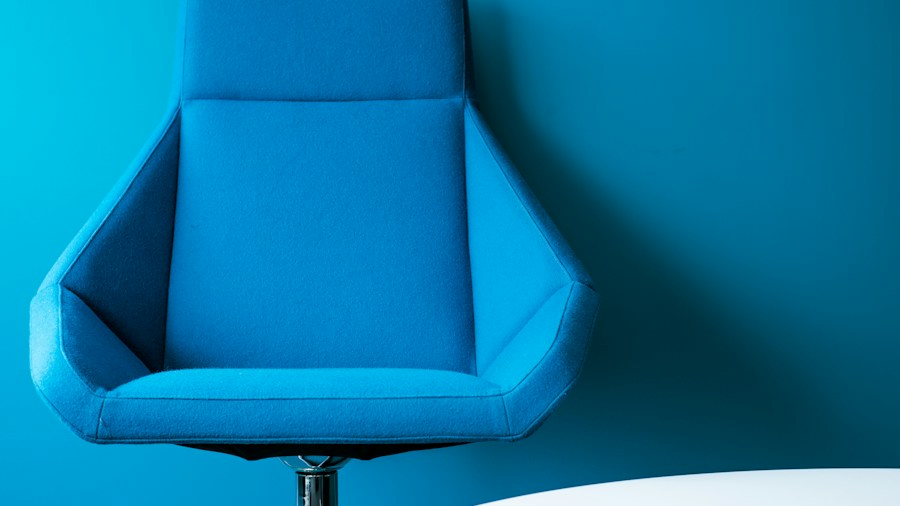
Not all chairs work for everyone. The LiberNovo Maxis Airflow specifically targets users between 5’10” and 6’7″, with a deeper seat designed for longer thighs and a broader backrest for taller frames. This precision matters: a one-size-fits-most approach often leaves taller workers uncomfortable and fidgeting throughout the day.
Beyond basic dimensions, the chair’s Dynamic Support system keeps up with your movements. Eight flexible backrest panels contour independently while neck, arm, and seat support follow your recline. A Controlled Recline System with six progressive springs builds resistance as you lean back, offering five fixed positions from a slight working angle to near-flat. After hours of focused work, an OmniStretch feature delivers a motorized five-minute stretch sequence.
A built-in ventilation system draws air through the cushion at two selectable speeds, preventing that uncomfortable warm-seat feeling during long work sessions. A rechargeable battery powers these features, eliminating the need for a wall cable during use. Like the EFFYDESK Aery Chair, this model prioritizes customizable fit as a core feature. Current promotions bring the price to $1,119, down from the regular $1,299, with a six-year frame warranty backing your investment.
Reclaiming Desk Surface Space
Paperless offices remain largely theoretical. Meeting notes, sketches, reference printouts, and sticky reminders accumulate faster than most workers expect. The Orbitkey Desk Mat Pro solves this with clever layering. A top surface keeps active work clear while a document hideaway beneath stores papers you want nearby without letting them sprawl across your mouse pad. A magnetic cable holder prevents charging cords from becoming daily floor decorations, while a vegan-leather surface paired with recycled felt creates a defined working zone. Small essentials get individual slots in a stationery toolbar, keeping pens and pencils accessible without cluttering the desktop.
Making Charging Visually Part of Your Setup
Most phone chargers look utilitarian at best and awkward at worst on a desk. The Modhaus Upright rethinks this with materials you’d actually want in your workspace: cast concrete and solid hardwood in walnut or oak. The weighted concrete base enables one-handed docking, while magnetic alignment holds your phone upright for video calls or quick message checks. With Qi2.2 charging supporting up to 25W, the hardware handles modern phones efficiently. The wooden top transforms the charger from anonymous gadget to intentional desk furniture.
Organizing Writing Tools Without Extra Boxes
Even desk-heavy workers still reach for pencils and pens. The Ugmonk Gather Wood Zigzag Tray solves the inevitable problem of misplaced writing tools through simple, elegant design. Individual grooves in solid walnut keep pens and pencils visible and organized. At just 6.75 inches wide, it claims minimal space. Magnets allow attachment to compatible Gather base plates or monitor stands, though it works independently as well. This approach keeps your favorite tools close without requiring a full organizational system.
A Mouse That Works Two Ways

The Logitech Pebble Up addresses a common compromise: slim mice fit bags easily but offer minimal palm support. This model physically adjusts for different scenarios. An upper section lifts into an angled configuration for desk work, then flattens for portability. Bluetooth and Logi Bolt connectivity support multiple setups, while an Easy-Switch feature moves between three paired devices. A rechargeable battery eliminates disposable battery drawer clutter. For workers transitioning between a home office and other locations, this flexibility avoids the need for multiple mice.
What This Means for Your Shopping Decisions
These five upgrades share a common philosophy: targeted design beats generic solutions. Rather than replacing your entire workspace, upgrading individual components addresses your specific frustrations. Whether the problem is an uncomfortable chair, desk clutter, cable chaos, or lost writing tools, purposeful products deliver faster results than broad overhauls. As you evaluate home office improvements, prioritize products that solve real problems for your body and your working style, not just trendy additions to your desk.










Write Your Review
No reviews yet. Be the first to share your experience!