
A Major Shift in How Creative Tools Work Together
Adobe and Google have announced a significant partnership that will fundamentally change how professionals and creatives work across multiple applications. Rather than forcing users to jump between separate programs, the two companies are integrating their tools so that work flows seamlessly from one platform to another. This two-way collaboration means Adobe’s creative suite will become more accessible within Google’s ecosystem, while Google’s artificial intelligence models will power features inside Adobe’s flagship applications.
For anyone who spends time editing documents, creating graphics, or managing files in a professional workspace, this news signals real improvements in daily workflow efficiency. The partnership aims to eliminate the friction of constantly opening and closing different apps to complete a single project.
What This Integration Means for PDF Users

One of the most immediate impacts will affect how PDF files are handled across Google Workspace and Gmail. Adobe Acrobat, which processes approximately 400 billion PDFs annually, will now be embedded directly into Google’s productivity suite. This means you’ll no longer need to download a file, switch to Adobe’s platform, make edits, and then upload it again. Instead, PDF handling happens right where you’re already working in Google’s environment.
For office workers and remote teams, this eliminates a constant point of friction. Tasks that previously required app-switching can now be completed in a single, unified location. If you regularly work with PDFs as part of your workspace routine, you’ll immediately notice the time savings.
AI-Powered Creative Tools Come to Adobe
Google’s latest AI models, Gemini Omni, Veo, and Nano Banana, will be integrated across Adobe’s Creative Cloud applications, including Photoshop, Premiere Pro, and Adobe Express. This integration focuses on making AI-assisted editing feel nearly instantaneous rather than creating delays in the creative process.
The collaboration between Adobe and Google DeepMind specifically targets Photoshop, where they’re working to deliver real-time AI edits that don’t interrupt your workflow. Rather than handing off work to an AI tool and waiting for results, creators will experience editing suggestions and changes that happen as quickly as traditional manual editing.
For professionals managing creative workloads, this represents a shift toward AI tools that enhance rather than interrupt creative workspace operations. Designing an efficient workspace now includes considering how software tools integrate with each other, and this partnership directly addresses that consideration.
Why This Matters for Office and Creative Professionals
Adobe reports more than 1 billion monthly active users globally, making this partnership significant in scale. The core objective centers on reducing the administrative burden of creative work by minimizing the number of different interfaces users must navigate. Every time you switch apps, you lose focus and productivity suffers.
This integration addresses a universal frustration: modern workflows often require jumping between specialized tools. A designer might need Photoshop for images, Premiere for video, Gmail for communication, and Google Drive for file storage. By connecting these platforms, Adobe and Google are acknowledging that seamless integration directly impacts professional efficiency and satisfaction.
Google Cloud CEO Thomas Kurian stated that the partnership gives “creators and enterprise teams a powerful, integrated environment to turn their ideas into high-impact content.” This signals a broader industry shift toward interconnected productivity tools rather than isolated applications.
Practical Benefits for Your Workspace Setup
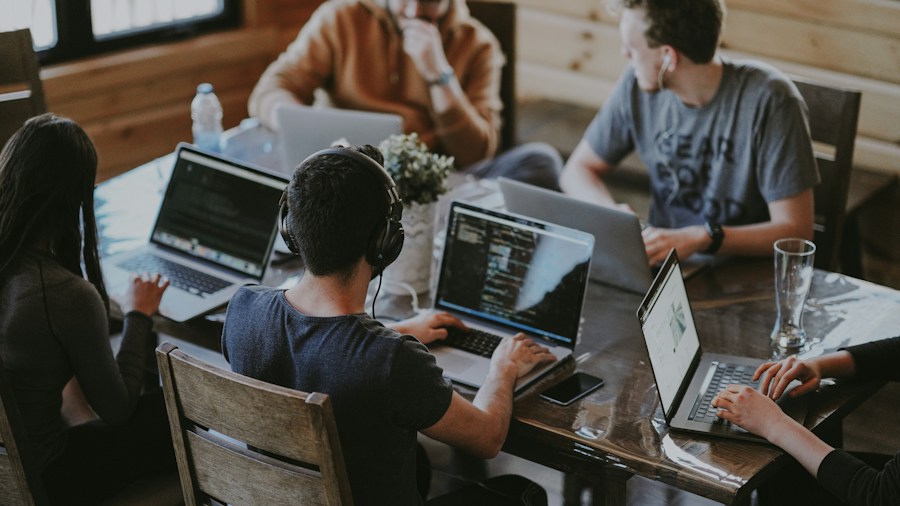
Whether you’re building a home office or managing a corporate workspace, this partnership affects how you should think about your software ecosystem. Rather than purchasing point solutions for different tasks, integrated platforms become increasingly valuable. Workspace organization now extends to digital tools as much as physical furniture and equipment.
The practical outcomes include less time training employees on multiple interfaces, faster project completion, and reduced cognitive load from context-switching. When your PDF editor lives inside your email platform, and your AI creative tools are embedded in your design software, your actual workspace becomes more efficient.
Optimizing workspace technology purchases means considering how tools integrate with existing systems. This Adobe-Google partnership sets a new standard for what integration should look like.
What You Should Do Now
If you currently use both Adobe and Google products, pay attention to these integration announcements as they roll out. You may find that upgrades or feature updates arrive that change how you currently organize your workflow. Users of Adobe Creative Cloud should expect to see Google’s AI models appearing in their applications over the coming months.
This partnership represents a significant evolution in how professional software operates. Rather than continuing to build isolated applications, the industry is moving toward ecosystems where tools communicate and share capabilities. For anyone managing a professional workspace, understanding this shift helps you make better decisions about which tools to adopt and how to structure your digital environment for maximum efficiency.










Write Your Review
No reviews yet. Be the first to share your experience!