

Your home office is the foundation of your work-from-home experience. Whether you’re managing back-to-back video calls or tackling deep creative work, the right equipment and layout can make all the difference in how you feel and perform throughout your day. Getting it right doesn’t require an expensive overhaul. Instead, focus on deliberate choices that align with how you actually work.
Invest in a Quality Desk That Grows With You
A standing desk is one of the smartest investments for any home office. Look for models that offer smooth height adjustment and sturdy construction. Modern home office designs increasingly feature minimalist desks with refined finishes that complement both your productivity needs and your decor. The best standing desks come with thoughtful cable management built directly into the frame, so your workspace stays organized. Choose one that accommodates your monitor height when seated and standing to reduce neck and eye strain. Premium options even offer a full ecosystem of accessories, letting you add powered grounding outlets or expand your work surface over time without replacing the entire desk.
Prioritize an Ergonomic Chair Over Everything Else
You spend hours in your office chair, which makes it the single most important investment for your physical comfort. An ergonomic chair should support your lower back with adjustable lumbar support and allow you to position your arms at the right angle for typing. Look for chairs that combine comfort with longevity, featuring durable materials that won’t require electronics or charging. A well-designed manual chair with a responsive backrest that flexes with your body movements throughout the day will serve you far better than a flashy model with unnecessary features. Premium pricing often reflects years of durability, so don’t skip this category.
Control Light and Air Quality
Poor air quality and inadequate lighting drain your energy and focus. An air purifier with HEPA filtration removes dust, pollen, and particulates that accumulate during the workday. Look for models that double as cooling fans in warmer months, combining two functions into one sleek design. The best units reduce harmful air particles to healthy levels within minutes and integrate with apps for remote monitoring. For lighting, position your desk perpendicular to your window to avoid screen glare while capturing natural light. Emerging office tech focuses on smart environmental sensors that help optimize your workspace for better focus and wellness.
Choose the Right Display Technology for Video Calls
If your role involves regular meetings, a quality camera is non-negotiable. Modern indoor security-style cameras designed for smart homes make excellent conference options because they deliver crisp, clear video in all lighting conditions. The best models save video locally and integrate seamlessly with major platforms, so you’re never dependent on cloud services alone. Position your camera at eye level to create better eye contact during calls, which instantly improves how you come across to colleagues and clients.
Simplify Cable Management From the Start
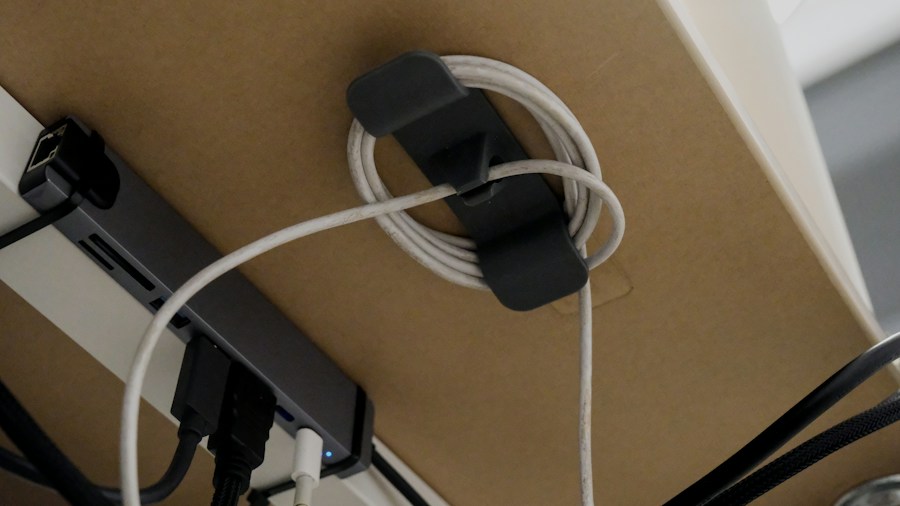
A tangled nest of cables creates visual chaos and makes it harder to adjust your setup. Standing desks with integrated cable trays that span the entire work surface keep wires contained and labeled. Invest in a few high-quality cable organizers and spend time routing cables behind your desk rather than across it. This small effort pays dividends in how professional and calm your space feels. Smart office accessories now include integrated cable solutions with pop-up outlets for seamless connectivity.
Create Zones for Different Work Types

Your home office shouldn’t be a one-dimensional setup. If possible, designate separate areas for focused deep work and video calls. A small side table for paperwork or a standing lectern for reading keeps your primary desk clear for your most demanding tasks. This psychological separation helps your brain switch gears and prevents meeting fatigue from bleeding into your concentration periods.
Don’t Overlook Accessories That Reduce Fatigue
Monitor stands, keyboard trays, and document holders prevent neck strain and bad posture habits. An adjustable monitor arm frees up desk space while letting you position your screen at the exact height your eyes need. Quality peripherals are inexpensive compared to standing desks and chairs, yet they compound the benefits of your larger investments by supporting better body alignment throughout your workday.
Building your ideal home office is a progression, not a one-time purchase. Start with the big three, desk, chair, and air quality, then layer in accessories as you identify what your specific work demands. Small, deliberate choices create a space where you actually want to spend your time and where your productivity naturally rises.









Write Your Review
No reviews yet. Be the first to share your experience!