

In 2026, with more American homeowners setting up dedicated home offices amid remote work trends, a reliable docking station is essential for connecting laptops to monitors, keyboards, mice, and chargers without cable chaos. These hubs streamline your workspace, boosting efficiency for everything from video calls to multitasking.
We analyzed 6 top best docking stations to highlight options that deliver value for US homes, considering compatibility with popular laptops and everyday office demands. For more workspace upgrades, check our Office category.
Top Products

The Anker Prime 14-Port Docking Station serves as a comprehensive desktop hub for Windows laptop users, especially those establishing efficient home offices. With 14 ports including four USB-C, five USB-A, dual HDMI, Ethernet, and audio, it connects laptops, monitors, peripherals, and chargers into one streamlined unit, reducing cable chaos on desks.
Standout features include 160W total power delivery for simultaneous charging of multiple devices, ultra-fast 10Gbps data transfer for smooth file handling, and support for dual displays up to 4K@60Hz on compatible Windows laptops with DP 1.4. The vertical design saves valuable desk space in typical US homes, while GaN technology and smart heat dissipation maintain cool, reliable operation during extended use. Build quality feels solid at 1.96 pounds, with a sleek profile that fits modern workspaces.
In real-world home setups, it excels at powering daily multitasking, from video calls to document editing across screens, with Ethernet ensuring steady connections for remote work. Drawbacks include mirrored displays on macOS, no Linux support, and specific limitations like non-charging USB-C downstream ports or incompatibility with some high-res monitors and Lenovo models.
Overall, this docking station delivers exceptional value for Windows users seeking a durable, high-performance solution for long-term home office productivity.
- Versatile 14-in-1 connectivity simplifies home office setups by consolidating chargers, displays, and peripherals
- High 160W output charges laptops and accessories simultaneously, saving time and outlets
- 10Gbps speeds and dual HDMI ports enable efficient workflows with multiple monitors
- Compact, durable build with advanced safety features withstands daily use in American homes
- Broad compatibility with Dell, HP, and Lenovo USB-C laptops ensures seamless integration
- Displays on MacBooks mirror identically rather than extend independently
- Not compatible with Linux systems or certain Lenovo Legion laptops
- Some USB-C ports lack charging or display functions, limiting versatility

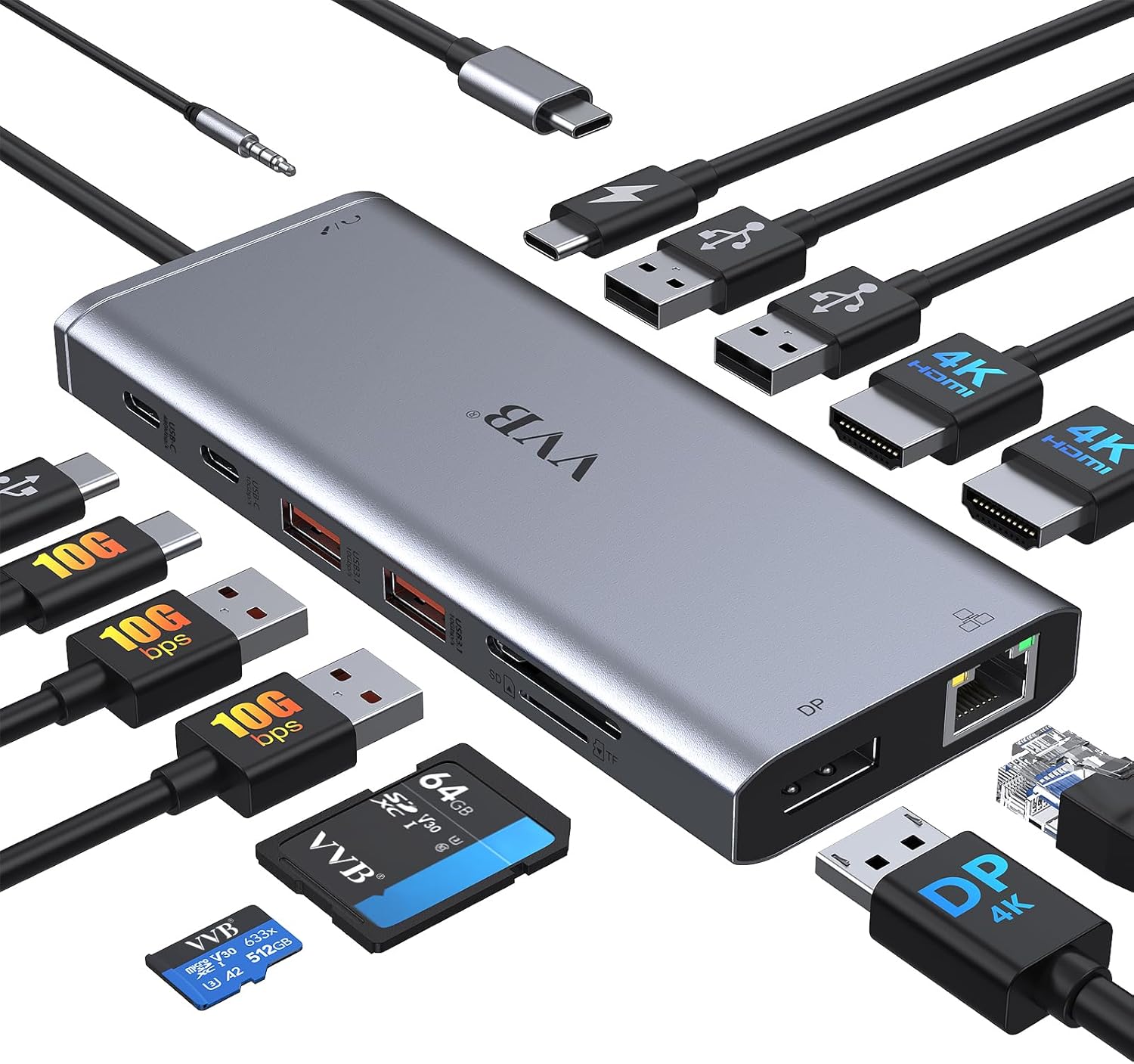
The LIONWEI 13-in-1 USB C Docking Station is a versatile hub designed for laptop users in American homes seeking to upgrade their workspace. It connects MacBooks, Dells, HPs, Lenovos, and Surfaces to two 4K HDMI ports, a DisplayPort, multiple USB options, Gigabit Ethernet, and audio, creating a full docking solution for home offices or dedicated work nooks.
Standout features include triple display support up to 4K@60Hz on Windows systems for mirroring or extending screens, ideal for multitasking like spreadsheets, video editing, or virtual meetings. High-speed 10Gbps USB-C and USB 3.1 ports handle quick file transfers, while 100W PD charging keeps devices powered during extended use. The Gigabit Ethernet port delivers stable connections for reliable home internet, and the 3.5mm audio jack enables easy headset integration.
Its compact, plug-and-play design fits neatly on desks in typical US homes, promoting organization and space efficiency. Build quality feels solid for daily handling, with ports positioned for easy access and durability suited to standard indoor climates. In real-world home office scenarios, it streamlines workflows by consolidating connections into one unit.
Drawbacks include limited Mac OS compatibility for full triple extend mode and a slight power draw that caps laptop charging at 87W. Overall verdict: A strong value for Windows users building productive home setups, backed by an 18-month warranty for peace of mind.
- Supports triple displays on Windows for mirror or extend modes, maximizing screen real estate.
- High-speed 10Gbps USB ports and 100W charging deliver versatile performance for power users.
- Gigabit Ethernet provides reliable wired connectivity superior to Wi-Fi in home environments.
- Plug-and-play simplicity fits busy American lifestyles without complex setups.
- Multiple port options reduce cable clutter for a cleaner, more organized workspace.
- Mac OS limits extend mode to one external monitor, not full triple display support.
- Device draws 13W, reducing available charging power to 87W for the laptop.
- Lacks VGA port, requiring adapters for older monitors.

The Acer Premium 13-in-1 Docking Station is a comprehensive USB-C hub designed for Windows laptop users who want to create a professional home office workstation. It connects via a single USB-C cable to deliver triple-monitor support, fast charging, and multiple peripherals, making it ideal for remote professionals, freelancers, or anyone working from home in the US.
Standout features include dual HDMI and one DisplayPort for three independent 4K@30Hz displays on compatible Windows systems, 85W Power Delivery through the included 110W adapter, high-speed USB-A/C ports at 5Gbps, Gigabit Ethernet for reliable networking, an SD/TF card reader, and a 3.5mm audio jack. In real-world home use, it transforms a laptop into a full desktop setup, allowing you to spread spreadsheets, videos, and documents across screens while keeping your desk free of cable clutter. The aluminum body stays cool during prolonged sessions, supporting all-day reliability in typical American home offices.
Build quality shines with a compact, durable design that includes a security lock slot for anchoring to desks in shared family spaces or home studies. Setup is straightforward with the provided USB 4.0 cable, power adapter, manual, and quick guide. While it excels for Windows, macOS is restricted to mirroring modes, and optimal performance depends on your laptop's USB-C and GPU capabilities.
Minor drawbacks include the rear USB-C port's data-only functionality and the need for Display Stream Compression on some laptops for peak display output. Overall verdict: This docking station delivers exceptional value for expanding home productivity, earning high marks for versatility and stability in everyday use.
- Versatile 13-port design consolidates cables for a cleaner, more organized home office
- Reliable triple-monitor expansion maximizes screen real estate for productivity-focused users
- Included 110W adapter ensures consistent laptop charging without performance interruptions
- Gigabit Ethernet provides stable internet for remote work or streaming in any home
- Durable build with security features suits long-term use in busy household setups
- macOS users limited to display mirroring, no extended desktop across multiple screens
- Full triple 4K@30Hz requires laptop GPU with Display Stream Compression support
- Rear USB-C port handles data only, no video output or device charging

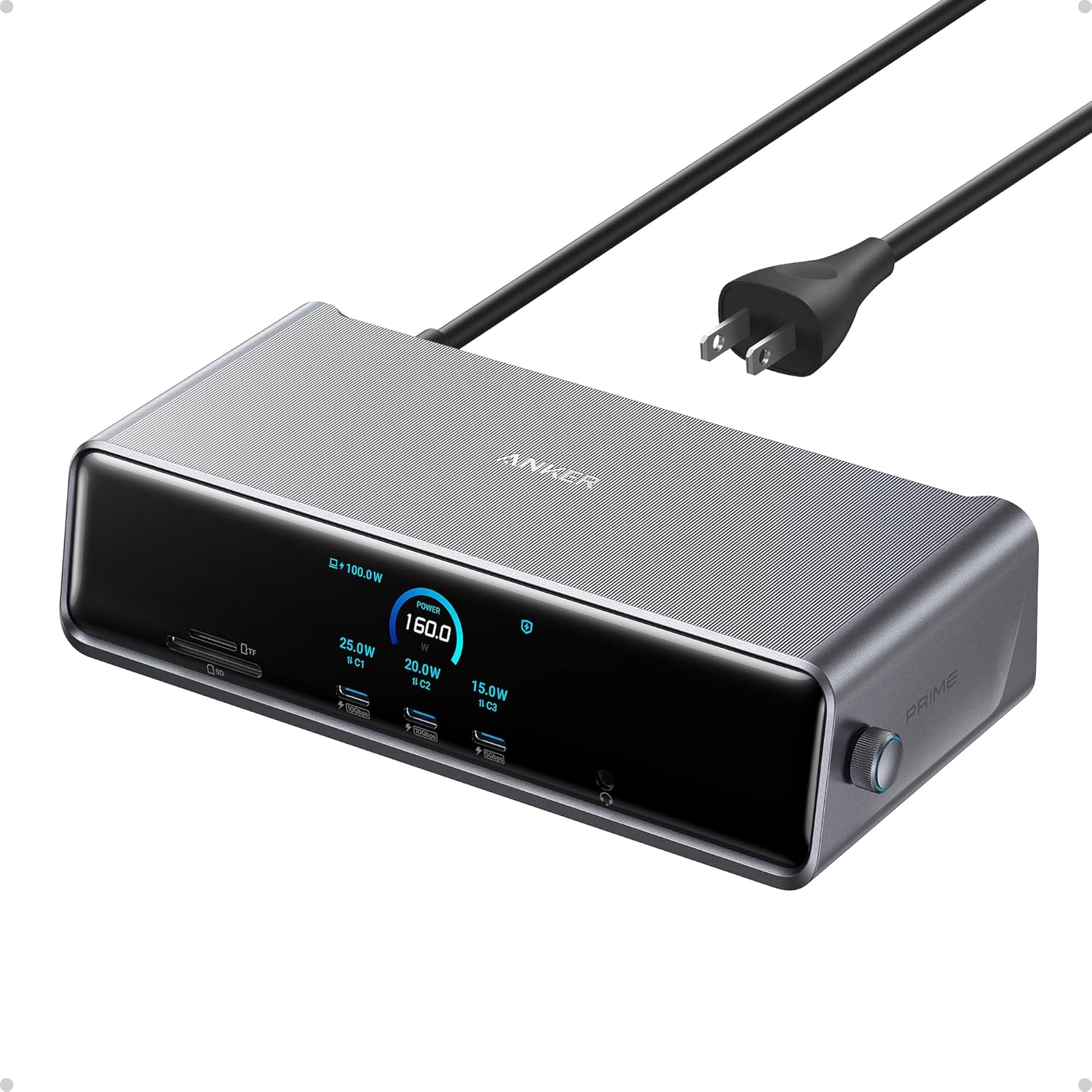
The Anker Prime DL7400 is a premium 14-port docking station tailored for laptop users seeking a complete desktop experience in their home office. Ideal for American professionals, remote workers, and multitaskers who need to connect multiple monitors, peripherals, and chargers without cable chaos.
Standout features include support for three external displays up to 8K resolution, powered by DisplayLink technology, enabling ultra-efficient workflows. The 140W upstream USB-C port charges laptops while two 100W front ports handle phones and accessories. A 2.5Gbps Ethernet ensures stable internet, and SD/TF slots suit photo editors. The smart display provides at-a-glance info on power, displays, and fan status, while active cooling prevents overheating during extended sessions.
Build quality emphasizes durability with a robust design that withstands daily use in typical US homes, saving desk space and promoting organized setups. It delivers reliable performance for video calls, document editing, and creative work across macOS 13.5+ and Windows 10/11.
Potential drawbacks include the need for the latest DisplayLink driver and limitations with DRM streaming like Netflix, where video may not display properly. Use the included USB-C cable to avoid connectivity issues.
Overall verdict: A top choice for value-driven buyers wanting long-lasting, high-performance docking that elevates home office productivity.
- Expansive connectivity transforms any laptop into a full desktop workstation
- High-power USB-C ports charge devices fast while handling data transfers
- Smart features like real-time monitoring ensure stable performance over time
- Triple display capability boosts productivity for remote workers and creators
- Universal compatibility fits seamlessly into modern US home office setups
- Requires installation of the latest DisplayLink driver for full display functionality
- DRM-protected streaming services may display black screens due to driver limitations
- Front USB-C ports do not support video output, limiting display options
Best Docking Stations Buying Guide
Number of Ports and Connectivity
Look for docking stations with ample USB-A, USB-C, Ethernet, and audio ports to connect all your peripherals in one go. Brands like Anker, Belkin, and CalDigit, recommended by Wirecutter and Consumer Reports, offer versatile setups ideal for home offices where you juggle printers, external drives, and webcams.
For US homeowners with varying setups, prioritize 10+ ports to avoid adapters, ensuring smooth data transfer up to 10Gbps for quick file access during work-from-home days.
Display Support
Dual or triple monitor support at 4K resolution is key for productivity, letting you extend your laptop screen across displays. According to PCMag and This Old House, top picks from Kensington, Plugable, and Anker handle HDMI, DisplayPort, and high refresh rates perfectly for multitasking in compact home spaces.
Choose models with DisplayLink technology for MacBooks and Windows laptops, helping you manage spreadsheets, emails, and Zoom calls without lag in your daily routine.
Power Delivery and Charging
Opt for stations with 100W+ Power Delivery to charge your laptop while connected. Family Handyman and BobVila.com praise Anker, Satechi, and Belkin for reliable passthrough charging that keeps devices powered during long work sessions.
This feature is a game-changer for homeowners who need one cable to connect and charge, reducing desk clutter in small home offices across varied US climates.
Compatibility and Build Quality
Ensure broad compatibility with Dell, HP, Lenovo, and MacBooks, plus sturdy aluminum builds for durability. Wirecutter highlights CalDigit, OWC, and Kensington for robust designs that withstand daily use and feature cooling fans to prevent overheating.
For American homes, focus on compact, portable options with security locks, perfect for shared family spaces or travel between home and occasional office visits.
Final Thoughts
For most US homeowners, these best docking stations offer a balance of ports, displays, and power to elevate your home office. We recommend the Anker Prime Docking Station, 14-Port with 160W Max Output, 10Gbps Fast Data Transfer, Real-Time Smart Interface, Audio and Ethernet Ports, Dual 4K Displays for Dell, HP, Lenovo and More for its versatile performance and reliability in everyday setups.
FAQs
What makes a docking station suitable for home offices?
A good docking station expands your laptop’s capabilities with multiple ports, monitor support, and charging. It simplifies cable management, ideal for remote workers needing quick setups.
Do I need a docking station with Ethernet?
Yes, for stable internet in homes with spotty Wi-Fi. Gigabit Ethernet ensures reliable connections for video calls and large downloads.
Are these docking stations compatible with MacBooks?
Many support macOS via USB-C and DisplayLink drivers, offering triple displays. Check specs for your model to confirm seamless integration.
How do I choose based on my laptop brand?
Verify Thunderbolt or USB-C compatibility with Dell, HP, or Lenovo. Universal options work across brands for flexible home use. See our Office page for more tips.
What’s the benefit of a cooling fan in docking stations?
It prevents overheating during extended use, maintaining performance. Essential for intensive tasks like video editing in home setups.











Write Your Review
No reviews yet. Be the first to share your experience!