

Elegoo has released the Centauri 2 Combo, a four-color 3D printer designed to make the technology accessible to beginners and budget-conscious buyers. Priced under $380, the machine promises solid print quality and multi-color capability at a fraction of the cost of competing models. However, the aggressive pricing comes with some trade-offs that shoppers should understand before purchasing.
What Makes the Centauri 2 Combo Stand Out
The headline feature is four-color printing powered by Elegoo’s CANVAS filament switching system. Users simply attach spool holders to the top of the machine and feed filament into numbered inlets. If you’re using official Elegoo spools with RFID tags, the system automatically identifies each color. The printer delivers clean, well-defined color transitions, making it possible to create multicolored objects in a single print cycle.
Setup is remarkably straightforward for newcomers to 3D printing. The machine arrives securely packaged and assembles easily, with one minor frustration: attaching the filament hub requires two tiny screws that can be tricky to position. After assembly, the printer runs automatic self-checks, calibration, and bed leveling, eliminating much of the stress that intimidates first-time users. Two software packages handle the rest: ElegooSlicer for preparing 3D models and Elegoo Matrix for remote monitoring via smartphone.
Print quality holds up well across different project types. Test prints of classic designs like Benchy completed in 45 minutes with clean results. More intricate prints, such as a detailed Halloween skeleton candlestick, delivered excellent output despite complex geometry. Users working with games, crafts, or storage solutions report consistent performance over dozens of prints.
The machine’s construction feels solid despite its low price. The frame uses die-cast aluminum and steel, creating a reassuringly robust feel. The double-sided build plate made from magnetic spring steel is durable and easy to maintain, and the 0.4mm hardened steel nozzle can be swapped for different sizes if needed.
Important Drawbacks to Consider
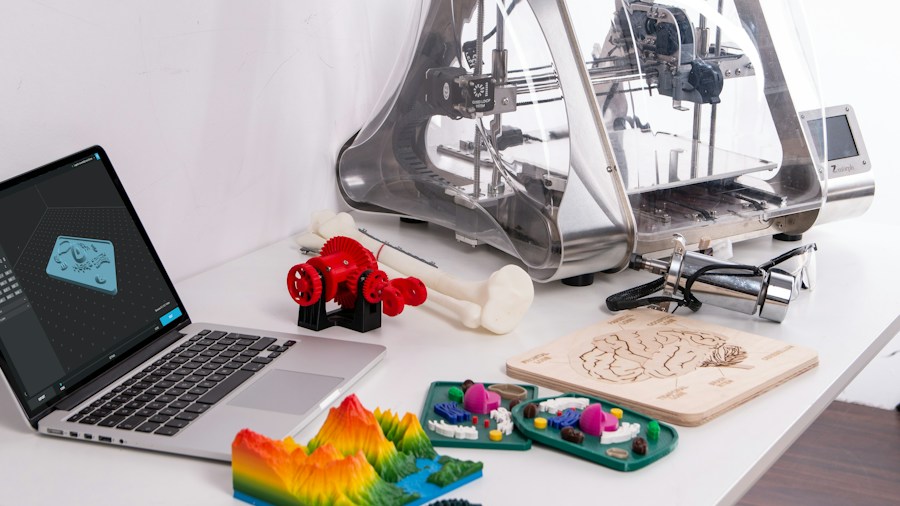
The Centauri 2 Combo lacks an enclosure, leaving the print bed exposed. While this gives you an unobstructed view of your work, it means you lose the temperature regulation and fume containment that enclosed printers provide. This matters if you plan to use filament types beyond standard PLA, as those materials produce stronger odors. The printer requires a well-ventilated room regardless of filament choice. Without a protective cover, you’ll also need to dust the exposed components regularly after each use.
Missing features include an internal camera and built-in lighting. These aren’t deal-breakers for beginners, but they’re conveniences available on some competitors. If you’re serious about remote monitoring during lengthy prints, you’ll need to set up your own external camera system.
Multi-color printing generates significant waste filament. When the printer switches colors, it retracts the current filament, cuts the end off, and ejects the excess. Projects using multiple colors produce substantial waste, filling containers quickly. This is a limitation of the technology itself, not unique to this model, but it’s worth considering if filament waste concerns you. Understanding how 3D printers pay for themselves in hobbies means accounting for materials used.
How It Compares
For just $70 more, Elegoo’s own Centauri Carbon 2 Combo adds an enclosure, wider filament compatibility, a built-in camera, and air filtration. This makes the standard Centauri 2 Combo the entry-point choice for those prioritizing cost, while the Carbon 2 serves buyers willing to spend slightly more for convenience features.
Competitors like Anycubic’s Kobra X and Creality’s SparkX i7 Combo occupy similar price territory with their own compromises. The Centauri 2 Combo’s cleaner design and intuitive software stack give it an edge for complete beginners, though some rival models include cameras out of the box.
Who Should Buy This Printer
The Centauri 2 Combo is ideal for first-time 3D printer users on tight budgets. Its automatic calibration, straightforward software, and reliable multi-color output make it forgiving for learners. If your projects involve gaming terrain, craft storage, or decorative miniatures, this machine handles them competently. Mastering calibration tips helps you get the best from any budget printer.
However, if you’re serious about 3D printing and plan to experiment with advanced filaments or need remote monitoring, investing another $70 to $100 opens access to more capable machines with fuller feature sets. Those concerned about filament waste from multi-color printing should factor in costs before committing to extensive color-switching projects.
The Centauri 2 Combo proves that you no longer need to spend significant money to enter the 3D printing hobby. Its combination of solid build quality, dependable performance, and four-color capability at under $380 makes it a compelling choice for budget-conscious shoppers ready to start creating.












Write Your Review
No reviews yet. Be the first to share your experience!