

OpenAI has expanded access to ChatGPT Space, transforming how everyday users organize work and collaborate on projects. Previously limited to higher-tier subscribers, this dedicated workspace feature is now available to ChatGPT Plus members for $20 per month across web, desktop and mobile devices. For anyone juggling documents, emails and project management, this represents a significant shift in how AI can support productivity.
What ChatGPT Space Does for Your Workspace
ChatGPT Space functions as an integrated workspace combining elements of Google Workspace, Microsoft 365 and Notion with AI capabilities built in. Rather than hunting through past conversations to find AI-generated content, users now have a centralized location to organize presentations, documents, spreadsheets and websites. The core feature, called Pages, offers interactive documents that support text, images, charts, tables and collaborative tools. You can edit pages yourself, request ChatGPT make edits, or invite team members to work alongside you in real time.
One particularly useful capability lets you convert an existing ChatGPT conversation into a formatted page, eliminating the need to start from scratch. This streamlines workflow and keeps related work in one searchable location.
Self-Updating Documents Save Time and Reduce Manual Work
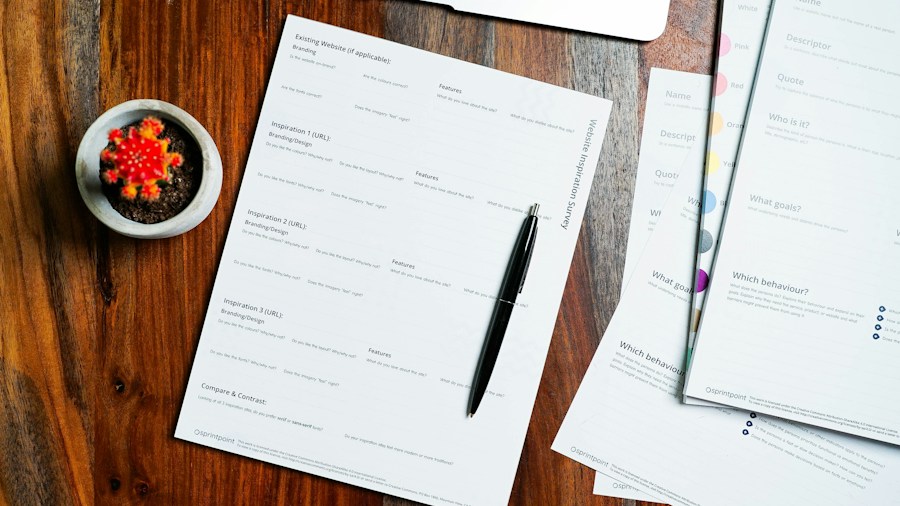
The most transformative feature may be automated document updates. Rather than repeatedly asking ChatGPT for the same information, your documents can pull fresh data from connected apps like Gmail and Slack at intervals you define. This solves a persistent problem: AI-generated information becomes stale quickly, and keeping it current typically requires constant manual effort.
Practical applications include creating a weekly family planner that incorporates school announcements and calendar events, a daily task list pulling action items from emails, or a project dashboard reflecting the latest Slack conversations. Job seekers could build a tracker monitoring responses from employers, while travelers might maintain a vacation itinerary that updates as booking confirmations arrive. By visiting an existing document instead of re-asking ChatGPT for updates, you reduce both effort and the risk of overlooking changes.
As workspace platforms continue to evolve toward organizational transformation, this capability positions ChatGPT Space as a serious productivity tool for managing multiple information streams simultaneously.
Presentation Features Include Editable Charts and Export Options
ChatGPT Slides, also rolling out within Space, lets users build polished presentations with AI assistance. Using Imagegen 2.6 technology, you can create visually cohesive decks and collaborate with colleagues in real time. ChatGPT can incorporate feedback directly into your presentation design. Unlike static chart images, the generated charts remain fully editable, allowing you to adjust individual elements without regenerating the entire graphic.
When your presentation is ready, you can export it directly to PowerPoint format and modify underlying data in Excel. For professionals who have spent hours reformatting presentations or adjusting charts manually, this workflow improvement alone could justify exploring the feature.
How to Get Started with ChatGPT Space

ChatGPT Plus subscribers should see ChatGPT Space appear in the left-hand navigation menu within their account soon, if it has not already arrived. Beginning users can start with a blank page, select from templates or transform a previous conversation into a working document.
A sample prompt to try: Create a weekly personal dashboard with my upcoming commitments, outstanding tasks and important emails. Set it to refresh every Monday morning using my connected apps. After entering your prompt, you will need to authorize connections to relevant services like Gmail or Slack and configure how often updates occur.
Pro subscribers gain access to additional features, including Dots, persistent AI agents that can revise documents and respond to feedback within Space without requiring manual intervention each time.
What This Means for Shoppers and Home Office Setup
For remote workers and home office managers, ChatGPT Space addresses a core challenge: keeping work organized without spending excessive time on administrative tasks. Personalizing your home office goes beyond accessories, and now includes the digital tools you rely on daily. When your documents update themselves and your workspace consolidates multiple tasks, you reclaim mental energy for high-value work instead of information management.
The timing also matters. As AI partnerships reshape workspace strategies, ChatGPT Space demonstrates how individual tools increasingly integrate into comprehensive ecosystems. Shoppers evaluating productivity software should consider how features like automated updates and real-time collaboration fit their specific workflows before committing to subscriptions or tools.
ChatGPT Space represents a meaningful step forward in making AI genuinely useful for daily tasks, moving beyond academic applications into practical workspace management. For anyone paying $20 monthly for ChatGPT Plus, testing this feature costs nothing additional, making it worth exploring to determine if it simplifies your current workflow.











Write Your Review
No reviews yet. Be the first to share your experience!