

In 2026, as more American homeowners set up dedicated home offices amid hybrid work trends, ergonomic input devices like trackball mice are essential for comfort and efficiency. We analyzed 6 top models to bring you practical recommendations tailored to everyday needs like reducing repetitive strain and maximizing limited desk real estate.
A great trackball keeps your hand stationary while your thumb or fingers control the cursor, ideal for small workspaces common in US homes. Check our Office category for more gear to optimize your setup.
Top Products
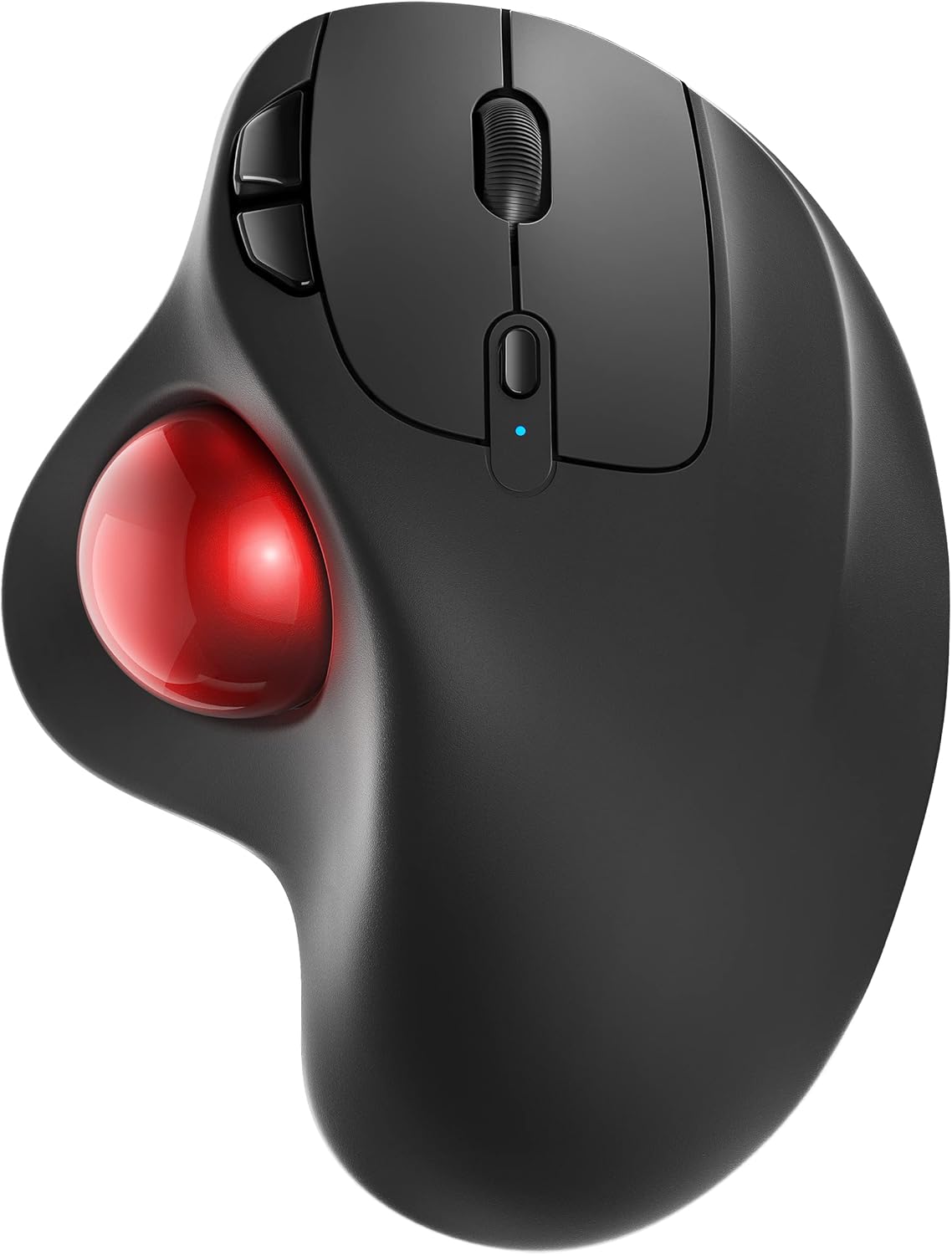
The Nulea M501 Wireless Trackball Mouse is designed for right-handed users seeking an ergonomic alternative to traditional mice, making it ideal for American homeowners who spend hours at home office desks, on couches, or in compact spaces. Its standout thumb-controlled 34mm trackball lets you move the cursor without shifting your wrist or arm, promoting natural hand positioning and reducing muscle strain during long workdays or casual browsing.
Key features include precise tracking with four adjustable DPI settings (400, 800, 1200, 1600) for smooth navigation on any surface, from wooden desks to fabric couches. True wireless freedom comes from Bluetooth or 2.4G USB receiver connectivity to up to three devices, with easy switching via a bottom button. The USB-C rechargeable battery provides extended use without disposable cells, and the six-button layout includes dedicated forward and back keys for quicker browsing.
Build quality features an elegant curved shape with a comfortable grip suited for prolonged sessions in typical US homes. It performs reliably in everyday scenarios like remote work or family computer use, excelling in space-constrained areas. Drawbacks include non-programmable buttons, Mac incompatibility for forward/back functions, and the need to click a key to wake from sleep mode.
Overall, the Nulea M501 delivers excellent value for those prioritizing comfort and versatility in home environments, earning its spot as a smart choice for productive, strain-free computing.
- Ergonomic thumb control eliminates wrist fatigue for comfortable extended use in home offices
- Multi-device connectivity allows quick switching between laptop, PC, and tablet
- Rechargeable design offers reliable long-term performance and cost savings
- Versatile tracking excels in tight spaces like small desks or bedsides
- Durable build withstands daily home use with consistent smooth operation
- Buttons cannot be reprogrammed, so customization options are limited
- Forward and back buttons lack Mac OS compatibility
- Must wake device by clicking a key rather than trackball movement

The Logitech MX Ergo S stands out as an advanced wireless trackball mouse crafted for ergonomic relief, ideal for American homeowners who spend hours at home office desks planning garden layouts or handling household admin. Its sculpted shape fits the palm comfortably, while the 20-degree tilt positions the forearm naturally, cutting muscle activity for sustained comfort during long sessions.
Standout features include precise thumb control for effortless navigation with minimal hand movement, six programmable buttons for quick shortcuts, and a DPI switch for versatile precision. In real-world home use, it excels on wood desks or garden office setups, with 80% quieter clicks that won't disturb family members. The Logi Options+ app allows personalization, like automating repetitive tasks, enhancing daily productivity.
Build quality shines with a soft rubber grip and durable construction using 20% recycled plastic, promising long-term reliability in varying home climates. Dual wireless options via Bluetooth or Logi Bolt receiver support easy multi-device switching, and impressive battery life up to 120 days ensures it keeps pace with busy lifestyles. Pair it with the ERGO K860 keyboard for a full ergonomic home workstation.
Drawbacks include the need for a separate USB-C cable and a trackball learning curve, plus it's optimized for medium to large hands. Overall verdict: A worthwhile investment for anyone prioritizing wrist health and efficiency in home-based work, delivering exceptional value through comfort and control.
- Ergonomic design promotes better posture and less strain for extended computer use at home
- Long battery life and fast USB-C charging deliver reliable performance without frequent interruptions
- Customizable controls enhance efficiency for managing home and garden tasks online
- Space-efficient trackball requires minimal desk space, perfect for compact home offices
- Quiet operation and multi-device support fit seamlessly into family living spaces
- Requires separate USB-C charging cable purchase since not included
- Best suited for medium to large hands, may feel bulky for smaller grips
- Trackball control has a brief learning curve compared to traditional mice

The ProtoArc EM01 NL stands out as an ergonomic wireless trackball mouse designed for thumb control, ideal for American homeowners transforming spare rooms into efficient home offices. It targets users tired of traditional mice causing wrist discomfort during prolonged computer use, such as managing household budgets, planning garden layouts, or browsing home improvement sites.
Key features include an adjustable hinge for angles from 0 to 20 degrees, promoting a relaxed hand posture that eases strain over hours. The thumb trackball offers precise navigation without sliding the mouse across your desk, saving space on crowded surfaces common in US family homes. Dual Bluetooth and 2.4G connectivity pair with up to three devices simultaneously, letting you switch seamlessly between Windows PC, Mac, and Android tablet for multitasking. A built-in rechargeable battery powers through full days, with five DPI settings (200 to 1600) for customized sensitivity.
Build quality feels solid with a frosted surface for grip and quiet buttons that maintain focus in quiet home settings, though the scroll wheel is audible. It performs reliably in real-world scenarios like web surfing or document editing, excelling in narrow spaces like bedsides or sofas. Regular cleaning of the ball and rollers ensures lasting smoothness, enhancing durability for years of service.
Drawbacks include a adaptation period for trackball novices, potential mismatch for small hands, absence of horizontal scrolling, and back/forward buttons not working on Mac. Overall, this mouse delivers exceptional value for comfort-focused users, earning a strong recommendation for home office setups prioritizing health and efficiency.
- Ergonomic thumb trackball design reduces wrist and arm strain for comfortable extended use in home offices
- Multi-device connectivity boosts efficiency by allowing quick switches between computer, laptop, and tablet
- Space-saving operation thrives in cluttered desks or small home setups without needing mouse pad space
- Rechargeable battery and adjustable DPI provide versatile, hassle-free performance for daily tasks
- Quiet operation keeps home environments peaceful during work or planning sessions
- Requires a learning curve for first-time trackball users, needing 1-2 weeks to adapt comfortably
- Best suited for medium-sized hands; may feel too large for smaller palms under 17.5 cm
- Lacks horizontal scrolling and high-precision control, limiting use for tasks like image editing or CAD
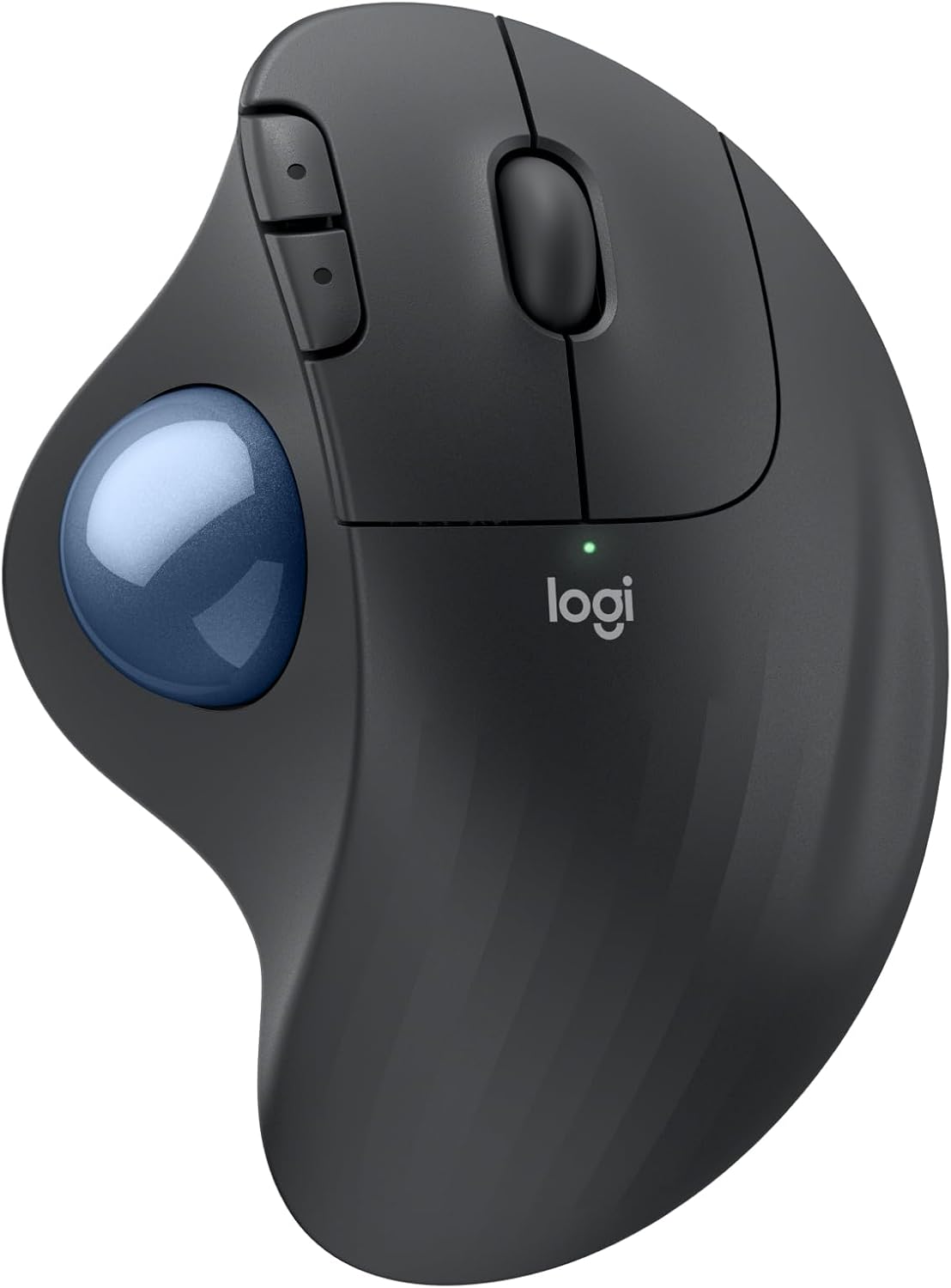
The Logitech ERGO M575S Wireless Trackball Mouse stands out as an ergonomic solution for homeowners building productive home offices. With its thumb-operated trackball, it lets you control the cursor without sliding the device across your desk, making it ideal for space-constrained setups in studies, kitchens, or home workshops common in American homes.
Key strengths include the sculpted shape that cradles your hand and aligns your forearm naturally, delivering smooth precise tracking and quiet clicks for distraction-free work. Connectivity is seamless via Bluetooth or Logi Bolt USB receiver, and the long battery life supports uninterrupted use through busy seasons. Build quality shines with durable recycled plastic that withstands daily handling while appealing to eco-conscious buyers.
In real-world home office scenarios, it excels at reducing physical fatigue during long video calls or document editing, pairing well with ergonomic keyboards for complete setups. Drawbacks include a brief adjustment to thumb control for traditional mouse users and app reliance for button tweaks.
Overall, the ERGO M575S earns high marks for blending comfort, efficiency, and sustainability, making it a smart long-term investment for comfort-focused American homeowners.
- Cuts forearm muscle strain by 25% with ergonomic thumb control
- Frees up desk space and adapts to any surface for versatile home use
- Provides 18 months of battery life and simple Bluetooth or USB connectivity
- Quiet operation and customizable features boost productivity
- Made with post-consumer recycled plastic for environmental value
- Thumb trackball may need time to master if switching from standard mice
- Advanced customization requires Logi Options+ app download
- Relies on replaceable AA battery instead of built-in rechargeable
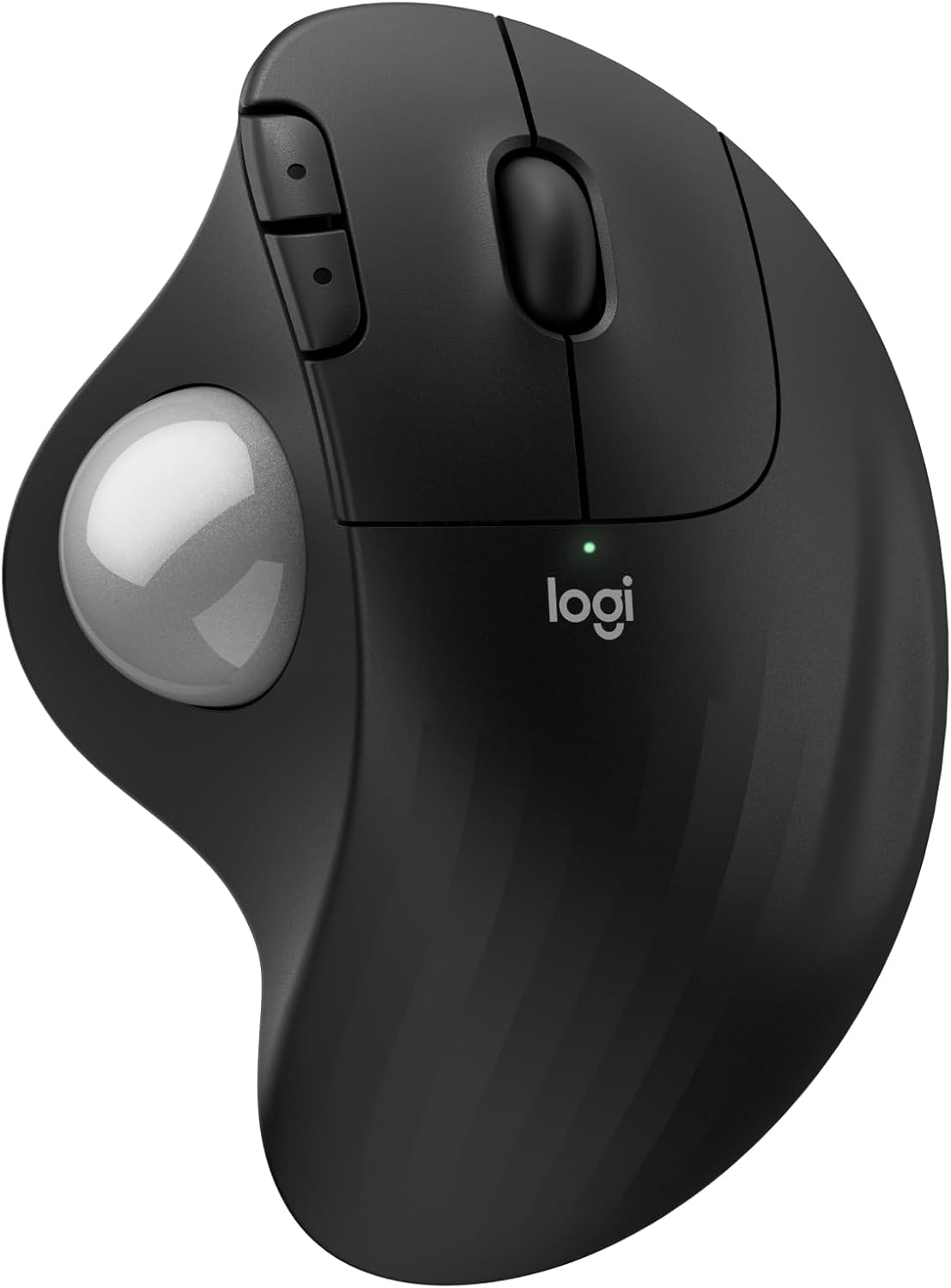
The Logitech Ergo M575S stands out as a wireless trackball mouse tailored for homeowners establishing ergonomic home offices. It targets users who endure long hours at desks, offering thumb-controlled cursor movement that keeps the arm stationary to foster better posture and lessen forearm discomfort in everyday American home settings.
- Smooth thumb operation provides precise tracking on any desk surface, ideal for cluttered home workspaces without a mouse pad.
- Three customizable buttons via the Logi Options+ app allow tailored shortcuts for efficient productivity.
- Bluetooth Low Energy or Logi Bolt USB receiver enables effortless connections to PCs and Macs.
Its sculpted build cradles the hand comfortably, constructed with post-consumer recycled plastic for durability and environmental appeal in sustainable US households. The design excels in tight spaces, enhancing usability on standard home desks year-round.
Potential drawbacks include a learning curve for trackball navigation and reliance on an AA battery. Overall, the Ergo M575S earns high marks for transforming home office comfort with lasting performance and value.
- Ergonomic benefits reduce muscle strain for healthier posture in home offices
- Compact thumb control saves valuable desk space in American homes
- Long battery life delivers uninterrupted use through busy workdays
- Customizable buttons streamline workflows with personalized shortcuts
- Eco-friendly recycled plastic build aligns with sustainable home choices
- Thumb trackball requires an adjustment period from traditional mouse users
- Primarily suited for right-handed operation
- Uses replaceable AA battery instead of rechargeable option

The SABLUTE MAM1 Pro stands out as an ergonomic wireless trackball mouse designed for those spending long hours at home computers, such as remote workers, gardeners managing online inventories, or homeowners handling digital tasks. Its thumb-controlled trackball and adjustable 0°/18° angle mimic a natural handshake grip, easing wrist pressure in typical US home offices with limited space.
Key features shine in real-world use: instant multi-device switching via dual Bluetooth and 2.4G keeps workflows smooth across devices, while five DPI settings ensure precise control for everything from spreadsheet editing to photo organizing. Quiet clicks reduce distractions in family homes, and the rechargeable USB-C battery with optional backlight delivers dependable performance without interruptions. Build quality feels solid, with a receiver that tucks neatly into the base for clutter-free desks.
Drawbacks include an adaptation curve for trackball novices and Mac limitations on driver-based customization and certain buttons. Overall, this mouse excels for Windows users prioritizing comfort and efficiency, earning strong recommendation for pain-free, productive home computing.
- Ergonomic tilt and thumb trackball significantly reduce repetitive strain for daily computer users
- Multi-device connectivity and stable wireless range up to 33 feet enhance versatility in home setups
- Rechargeable design and quiet operation provide reliable, low-maintenance performance value
- Adjustable DPI and backlight improve precision and visibility for various screens and lighting
- Compact build saves desk space in small American homes or home offices
- New users may need 1-2 weeks to adapt to trackball operation
- Button programming and forward/back functions not supported on Mac OS
- Scrolling or trackball movement does not wake the mouse; requires button click
Best Trackball Mice Buying Guide
Ergonomic Design and Comfort
Look for adjustable angles and contoured shapes that support natural hand positions, crucial for long hours at home desks. Wirecutter and Consumer Reports highlight brands like Logitech, Kensington, and Elecom for designs that minimize forearm strain, with features like thumb balls fitting medium to large hands common among US users.
For homeowners with wrist issues, models with 20-degree tilts reduce muscle activity by up to 27%, promoting better posture during video calls or report writing.
Tracking Precision and Ball Quality
Smooth, responsive balls ensure accurate cursor control without jitter, vital for precise tasks like graphic design or spreadsheets. According to PCMag and Family Handyman, Logitech, ProtoArc, and Anker offer high-DPI sensors and replaceable balls for lasting performance in dusty home environments.
Connectivity and Multi-Device Support
Dual Bluetooth and USB receiver options let you switch seamlessly between laptop, desktop, and tablet. Consumer Reports praises Logitech, Nulea, and SABLUTE for stable 3-device pairing, perfect for US families sharing home office tech.
Battery Life and Rechargeability
Opt for USB-C rechargeable models with 100+ days of battery per charge to avoid interruptions. This Old House notes brands like Logitech and Elecom excel here, with quick-charge features supporting uninterrupted workflows in power-variable home setups.
Customization and Software
Programmable buttons and app integration boost productivity with shortcuts. Wirecutter recommends Logitech and Kensington for intuitive software that customizes DPI and gestures, suiting diverse home office tasks from emailing to editing.
Final Thoughts
For most home office needs, prioritize ergonomics and connectivity; budget-friendly thumb-control models suit beginners, while advanced tilts fit heavy users. The SABLUTE MAM1 Pro stands out for adjustable angles and quiet clicks, making it a solid pick for daily comfort. Pair with a good chair for all-day relief.
FAQs
What is a trackball mouse?
A trackball mouse uses a stationary ball controlled by your thumb or fingers, unlike traditional mice that move across the desk. This design saves space and reduces arm movement, ideal for cramped home offices.
Why choose a trackball over a traditional mouse?
Trackballs keep your hand in place, cutting wrist strain and desk wear. They’re great for US homeowners with limited space or RSI concerns, offering precision without lifting the device.
Are trackball mice good for wrist pain?
Yes, ergonomic trackballs promote neutral wrist positions, reducing pain from repetitive motions. Studies cited by ergonomists show less forearm activity, benefiting long-hour remote workers.
What’s the best trackball for home office use?
Models with multi-device Bluetooth and long battery life excel for switching between work and personal devices. Explore our Office page for complementary setups.
How do I maintain my trackball mouse?
Regularly clean the ball with a soft cloth and compressed air to prevent buildup. Avoid liquids and store in a dry spot to ensure smooth tracking over years of use.









Write Your Review
No reviews yet. Be the first to share your experience!