

American homeowners are increasingly setting up dedicated home offices, especially with remote work here to stay. The Best 4k Monitors deliver sharp 4K resolution perfect for multitasking, video calls, and creative projects in 2026. We’ve analyzed 6 standout models to help you find the right fit for your space.
Whether you’re in a bustling suburban home or a cozy apartment, these monitors offer value and performance. Check out our office category for more productivity essentials.
Top Products

The Dell 27 Plus 4K Monitor S2725QS is a 27-inch IPS display with 3840x2160 resolution, designed for homeowners seeking a reliable screen for home offices, streaming, or light gaming. It excels in delivering sharp details and smooth motion thanks to its 120Hz refresh rate and AMD FreeSync Premium, making it perfect for everyday tasks in bright American homes.
Standout features include ComfortView Plus, which reduces blue light emissions while maintaining 99% sRGB color accuracy for true-to-life visuals. The 1500:1 contrast ratio adds depth to images, and HDR readiness prepares it for future content. In real-world use, it handles multitasking effortlessly with Dell Display Manager, letting users snap windows into custom layouts for boosted productivity during remote work or family video calls.
Build quality shines with an ultra-thin bezel design in ash white, offering a sleek, minimalist aesthetic that saves space on desks or entertainment centers. Setup is straightforward via side-access HDMI ports, and integrated speakers deliver improved sound with deeper bass. Energy Star certification and sustainable packaging align with eco-conscious US lifestyles, promising long-term reliability.
Drawbacks include a fixed stand that may not suit all ergonomic needs and speakers that work for casual use but fall short for audiophiles. Overall verdict: A strong value for homeowners wanting a versatile, eye-friendly 4K monitor that enhances home setups without complexity.
- Exceptional color accuracy and contrast for realistic viewing in home environments
- Eye comfort features support long sessions without fatigue, ideal for remote work
- Versatile ports including dual HDMI and DisplayPort for easy connection to US home devices
- HDR readiness enhances depth for movies and photos
- Dell Display Manager boosts multitasking across screens
- Stand lacks height or tilt adjustments, limiting ergonomic flexibility on some desks
- Integrated speakers may not match dedicated audio systems for immersive home theater
- Requires compatible hardware to fully utilize 120Hz at 4K resolution
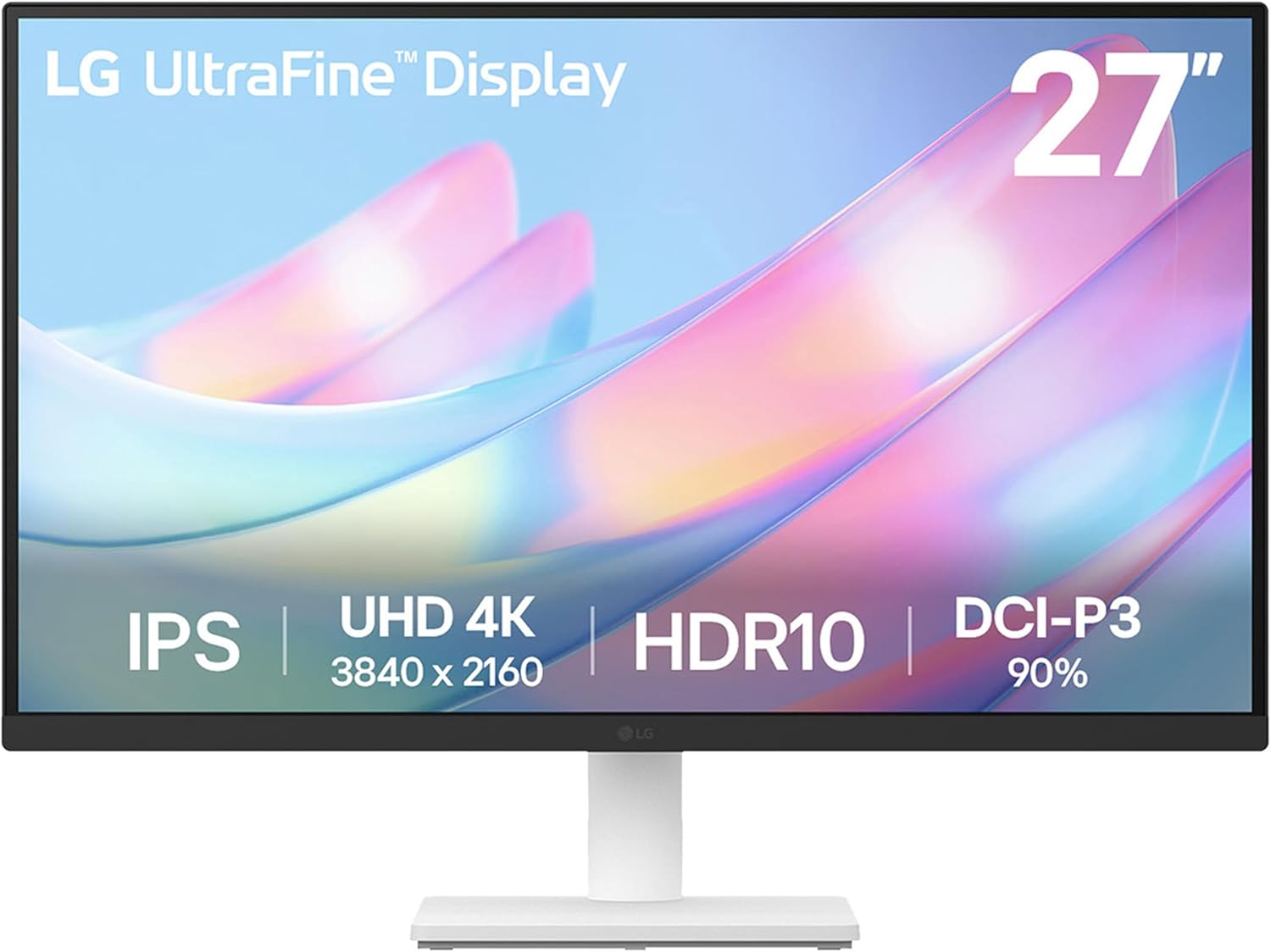
The LG 27US500-W Ultrafine Monitor is a 27-inch 4K UHD IPS display designed for homeowners seeking high-quality visuals in home offices, creative studios, or media setups. With its 3840x2160 resolution, 1000:1 contrast ratio, and HDR10 support covering up to 90% DCI-P3 color gamut, it delivers deeper blacks, vibrant hues, and sharp details perfect for editing garden photos, designing home layouts, or enjoying movies.
In real-world home use, the wide viewing angles maintain color consistency from various positions, making it great for family collaboration or solo work. The borderless design maximizes desk space in compact American kitchens or studies, while the tilt-adjustable stand promotes comfortable viewing to reduce eye strain during long sessions.
Build quality feels solid with a sleek white finish that complements modern home decor. The LG Switch app enhances usability by enabling easy screen splitting and settings tweaks. Connectivity includes HDMI and DisplayPort for simple integration with laptops or desktops.
Drawbacks include the 60Hz refresh rate, which suits productivity but not gaming, absence of speakers, and basic stand adjustability. Overall, this monitor offers exceptional value for visual professionals and home users prioritizing clarity and ease in everyday setups.
- Superior 4K clarity and color accuracy enhance productivity for remote workers and creatives.
- User-friendly software and ergonomic design make it comfortable for extended home use.
- Value-packed features like HDR10 at a competitive price point for budget-conscious buyers.
- Wide viewing angles suit collaborative family workspaces or shared home offices.
- Durable build supports long-term reliability in everyday American home settings.
- 60Hz refresh rate limits appeal for gamers needing higher speeds.
- No built-in speakers requires external audio solutions.
- Tilt-only stand lacks height or swivel adjustments for some setups.


The Dell S3225QS 32 Plus 4K Monitor is a versatile 31.5-inch display tailored for American homeowners seeking top-tier performance in home offices, living rooms, or dedicated gaming areas. With its 3840 x 2160 resolution, 120Hz refresh rate, and AMD FreeSync Premium, it delivers smooth, tear-free visuals that elevate movie nights and casual gaming sessions without the need for premium graphics cards.
Standout features include a VA panel boasting 99% sRGB and 95% DCI-P3 color coverage for vivid, true-to-life images, paired with a 1500:1 contrast ratio for deep blacks and HDR-ready detail. ComfortView Plus minimizes harmful blue light to 35%, earning TÜV Rheinland certification for reduced eye strain during extended use in typical home environments. Re-engineered speakers provide richer sound with greater power and frequency range, making it a complete entertainment solution.
Design-wise, the ultra-thin bezels and ash white finish offer a minimalist look that fits seamlessly into contemporary US homes, while side-access ports simplify connections. Dell Display Manager boosts productivity with app tiling and auto-adjustments for brightness. Build quality emphasizes durability and sustainability, with ENERGY STAR efficiency and 100% renewable packaging materials.
Potential drawbacks include narrower viewing angles typical of VA panels and a larger footprint that suits spacious setups better than compact desks. No USB hub or full ergonomic stand limits expandability.
Overall verdict: An outstanding choice for value-driven buyers wanting immersive 4K performance with eye comfort and eco-features, ideal for everyday home use.
- Stunning color accuracy and contrast for superior home entertainment.
- Eye comfort features support all-day productivity without fatigue.
- High refresh rate and FreeSync provide tear-free performance for casual gaming.
- Sustainable design with energy efficiency reduces long-term costs.
- Improved onboard audio enhances media viewing without extra speakers.
- VA panel may show color shifts from off-angles in shared viewing spaces.
- 31.5-inch size demands ample desk or entertainment center space.
- Lacks USB ports or advanced stand adjustments for flexible positioning.
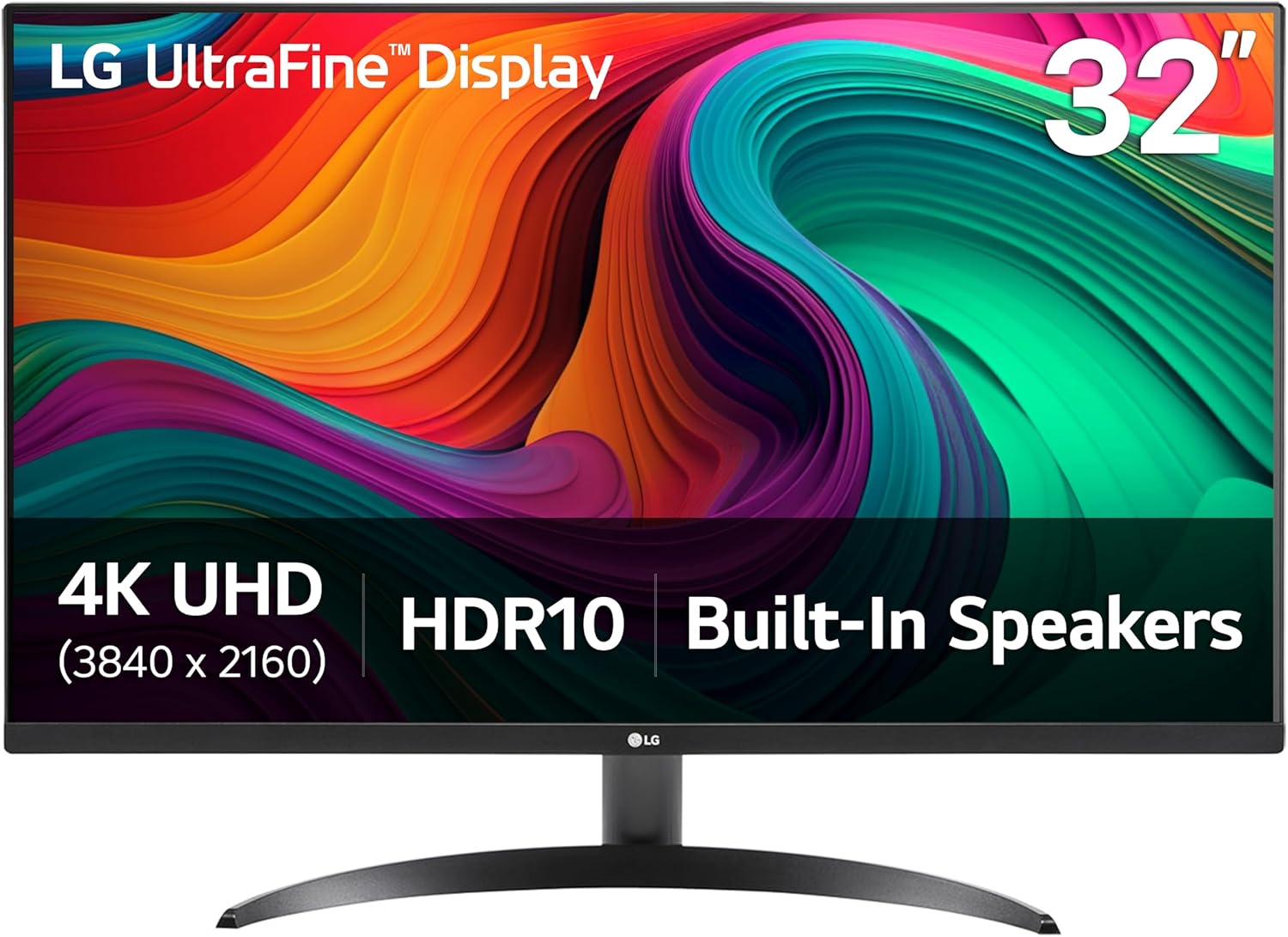
The LG 32UR500K-B is a 32-inch 4K UHD monitor designed for homeowners seeking a versatile display for home offices, entertainment centers, and casual gaming setups. With a 3840x2160 resolution and HDR10 support covering up to 90% DCI-P3 color gamut, it delivers vibrant, detailed visuals that bring movies, sports, and games to life in any American living space.
Standout features include built-in stereo speakers tuned with Waves MaxxAudio for rich sound without extra gear, Dynamic Action Sync to minimize input lag for smoother gameplay, and Black Stabilizer to enhance visibility in shadowy scenes. OnScreen Control software allows quick screen splitting and adjustments, making it ideal for multitasking in home offices. The borderless design and Flicker Safe technology ensure a modern look and comfortable extended use.
Build quality feels solid with an ergonomic tilt stand that adapts to your seating position, fitting well in typical US homes. Real-world performance shines in media consumption and productivity, though the 60Hz refresh rate and VA panel limit it for high-end gaming or wide-angle viewing parties. Minor drawbacks include the lack of height adjustment and USB-C ports.
Overall verdict: A strong choice for value-driven buyers wanting immersive 4K visuals and convenience in home environments, earning high marks for everyday reliability.
- Exceptional value with 4K HDR10 and wide color gamut for superior image quality in home entertainment.
- Integrated speakers eliminate the need for separate audio, simplifying setups in family rooms.
- Gaming features like Dynamic Action Sync provide responsive performance for casual gamers.
- Easy customization via OnScreen Control boosts productivity for remote workers.
- Durable build with tilt stand ensures reliable long-term use in everyday home settings.
- 60Hz refresh rate may not suit competitive gamers needing higher speeds.
- VA panel offers narrower viewing angles compared to IPS alternatives.
- Tilt-only stand lacks height or swivel adjustments for some desk configurations.

Best 4k Monitors Buying Guide
Screen Size and Resolution
For home offices, a 27- to 32-inch 4K display provides ample workspace without overwhelming your desk. Brands like LG, Dell, Samsung, and ASUS, as recommended by Wirecutter and Consumer Reports, ensure true 3840×2160 resolution for detailed spreadsheets and photo editing.
Consider your room size; larger screens suit bigger home offices in US homes with open layouts, while compact ones fit apartments.
Panel Type and Refresh Rate
IPS panels from LG and Dell offer wide viewing angles ideal for shared family workspaces, while VA panels boost contrast for media viewing. Look for 120Hz refresh rates in models praised by BobVila.com and This Old House for smooth scrolling during long workdays.
Brands like BenQ, Samsung, and Acer excel here, reducing eye strain in varying home lighting conditions across US climates.
Connectivity and Ports
Multiple HDMI, DisplayPort, and USB-C ports make setup easy for laptops and peripherals. Dell and LG monitors, highlighted by Family Handyman, support daisy-chaining for multi-monitor home office rigs common in American setups.
Ergonomics and Eye Comfort
Adjustable stands and flicker-free tech from ASUS, Samsung, LG, and Dell promote comfort during extended use. Features like Reader Mode, endorsed by Consumer Reports, help reduce blue light for evening work in home environments.
We recommend height-adjustable options for proper posture, essential for homeowners juggling work and family time.
Additional Features
Built-in speakers and HDR support enhance versatility for streaming or calls. Top picks from BenQ, Dell, and LG, per Wirecutter reviews, deliver vibrant colors and AMD FreeSync for lag-free performance.
Final Thoughts
For most US homeowners, prioritize IPS panels with USB-C for seamless home office integration. Our top recommendation is the Dell 27 Plus 4K Monitor – S2725QS – 27-inch 4K (3840 x 2160) 120Hz 16:9 Display, IPS Panel, AMD FreeSync Premium, sRGB 99%, Integrated Speakers, 1500:1 Contrast Ratio, Comfortview – Ash White, offering excellent balance of features and value.
FAQs
What makes a great 4K monitor for home office use?
Focus on IPS panels for color accuracy, adjustable stands for ergonomics, and USB-C for easy connectivity. These features support long hours of productivity without fatigue.
Do I need a 120Hz refresh rate for everyday work?
Not essential for basic tasks, but it smooths video and scrolling nicely. It’s a bonus for multitasking in busy home setups.
How important is HDR in best 4k monitors?
HDR enhances contrast for better media viewing after work hours. Pair it with high sRGB coverage for versatile use in your home office.
What’s the best panel type for color work?
IPS panels from leading brands provide superior viewing angles and accuracy. Explore more in our home & decor section for workspace ideas.
Are built-in speakers sufficient?
They work for calls and light media, but pair with external ones for immersive sound. Most top models include them for convenience.











Write Your Review
No reviews yet. Be the first to share your experience!